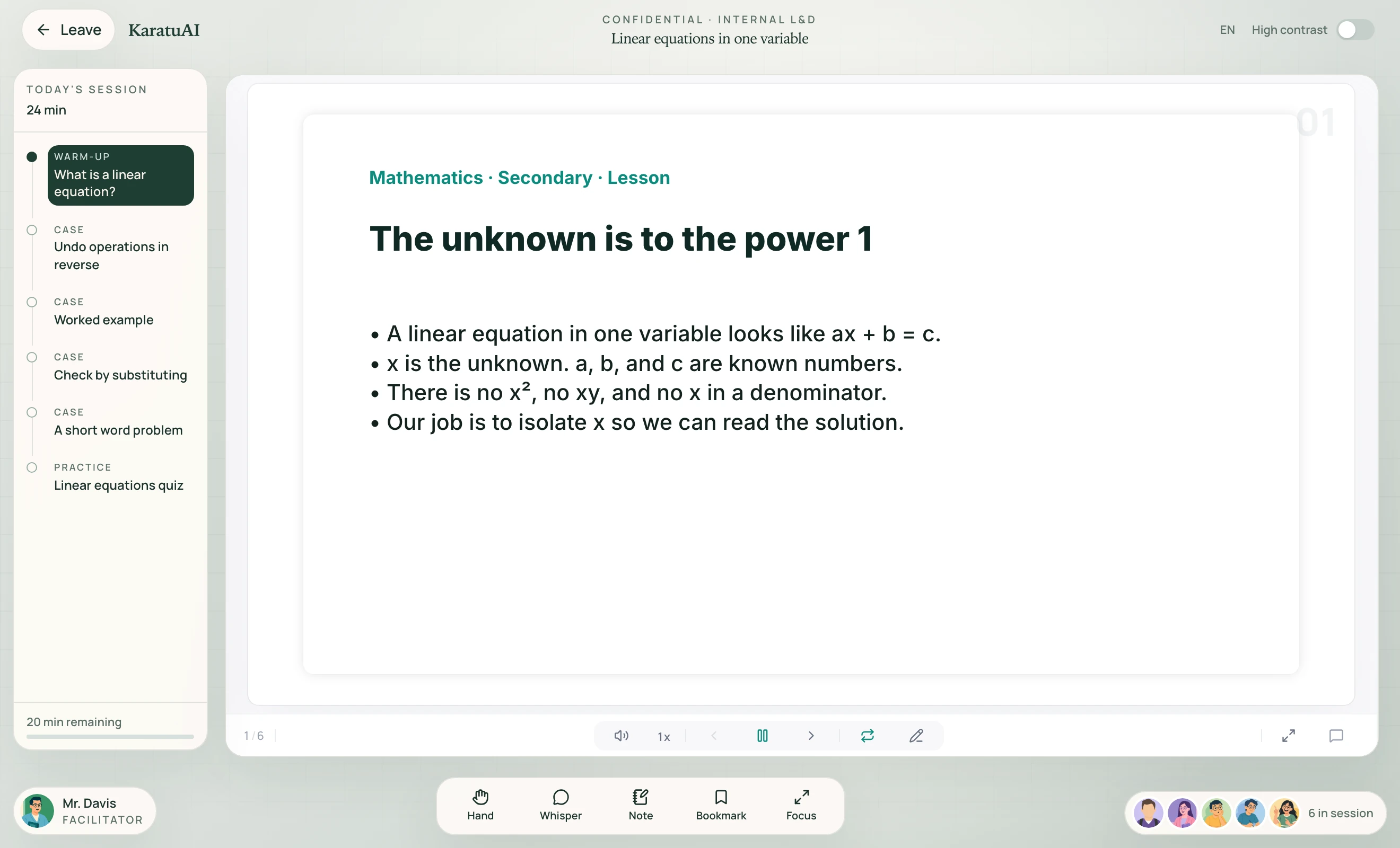
AI classroom
Step-by-step lessons, a live board, and companions. Sample lessons can be opened before anyone signs a contract.

Confidential briefing
Product briefings · 2026
Six audience rooms. One Karatu classroom. Live product screens, not mockups — for the person sitting across the table.

01 / The offer
KaratuAI is bridging Africa’s learning gap by combining curriculum-aligned education with personalized AI tutoring, practical learning, and future-ready skills; helping learners move from simply passing exams to building the knowledge and capabilities to thrive in school, work, and life.
02 / Secondary
For students, parents, and schools
Secondary learners walk into a classroom, not a content dump. They practise the exam they will sit, and they can turn handwritten notes into a lesson they can replay.
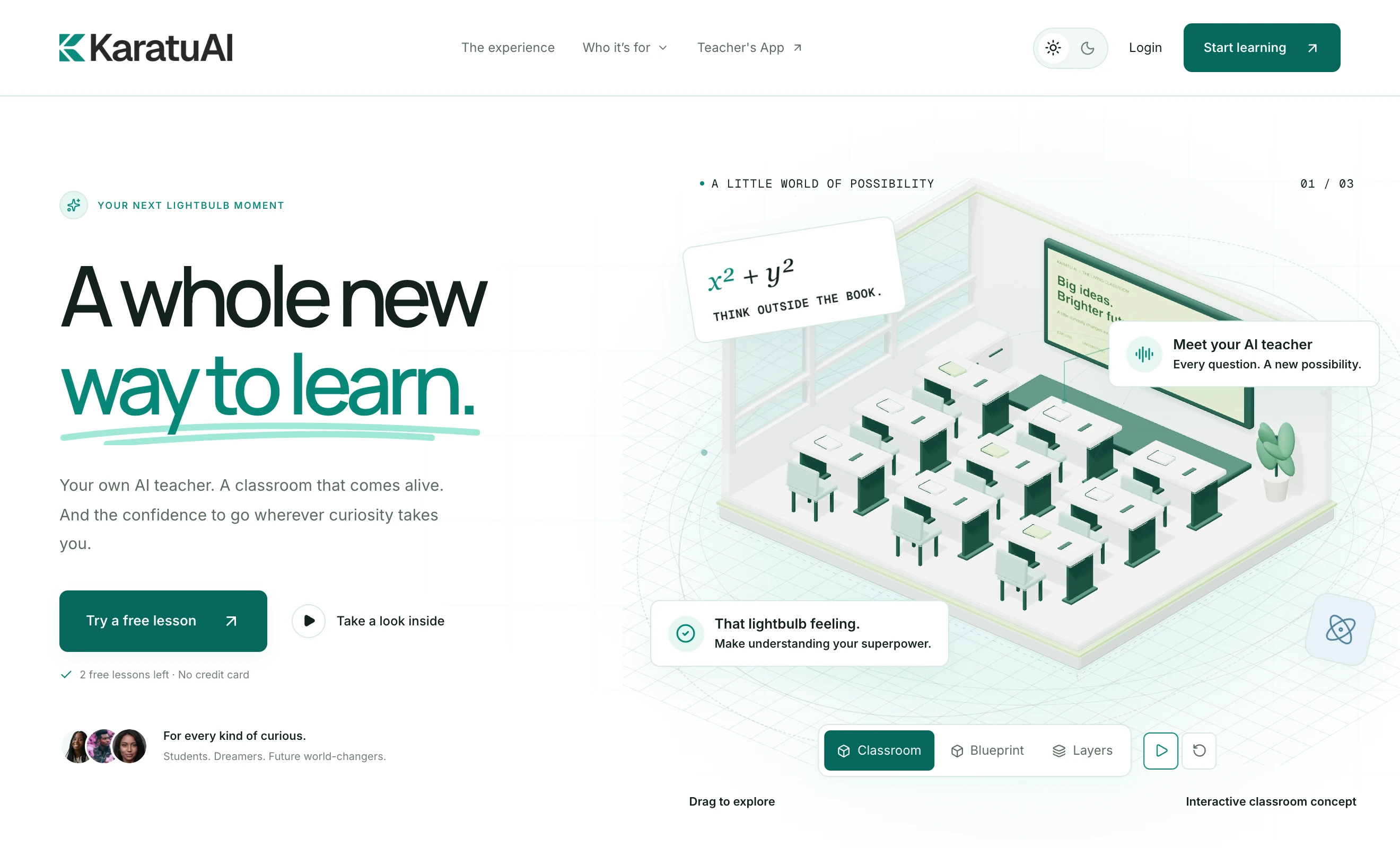
03 / Secondary features
Step-by-step lessons, a live board, and companions. Sample lessons can be opened before anyone signs a contract.
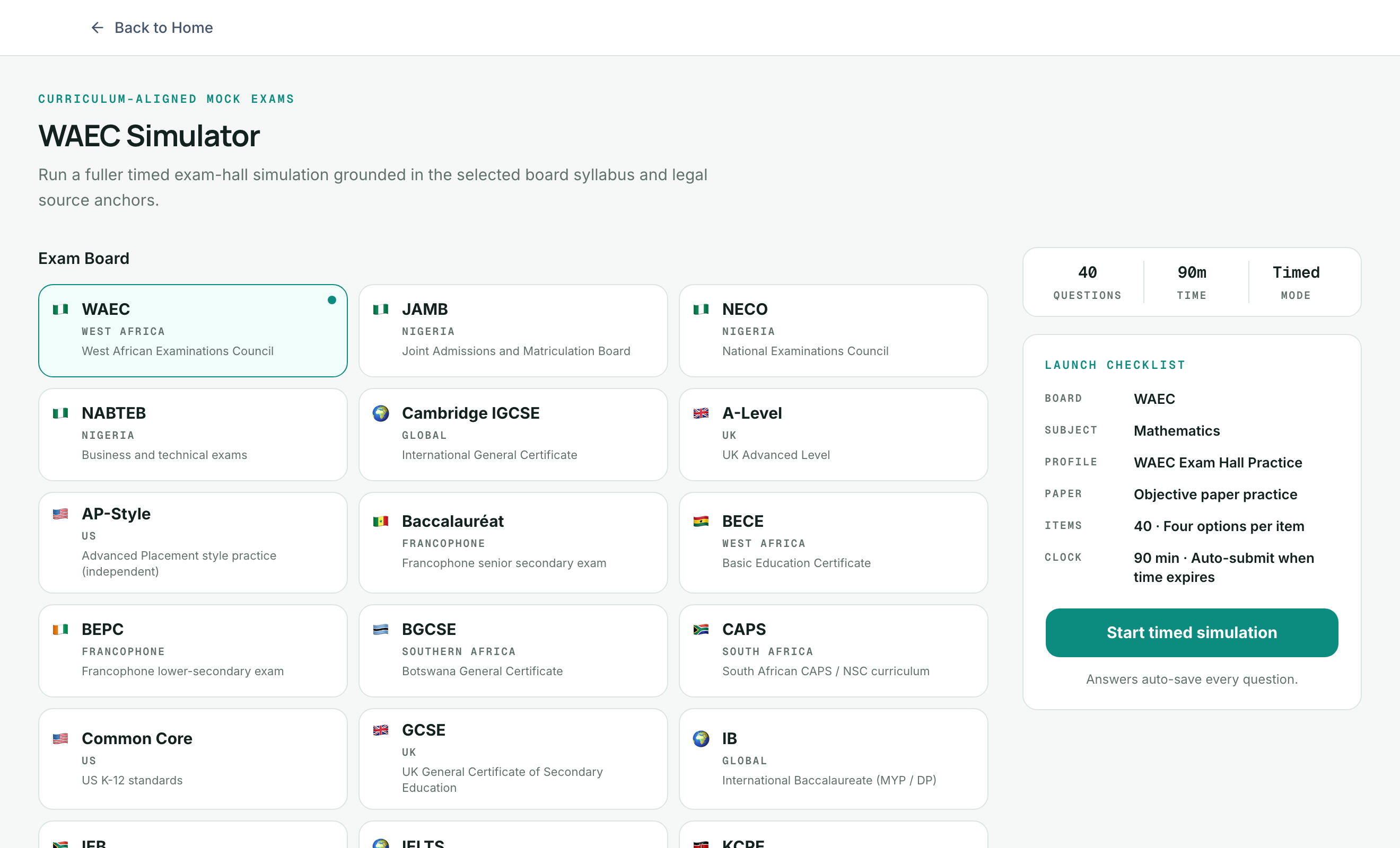
Board-aligned mocks with scoring and explanations. Built for WAEC, JAMB, NECO, GCSE, IGCSE, IELTS and more.
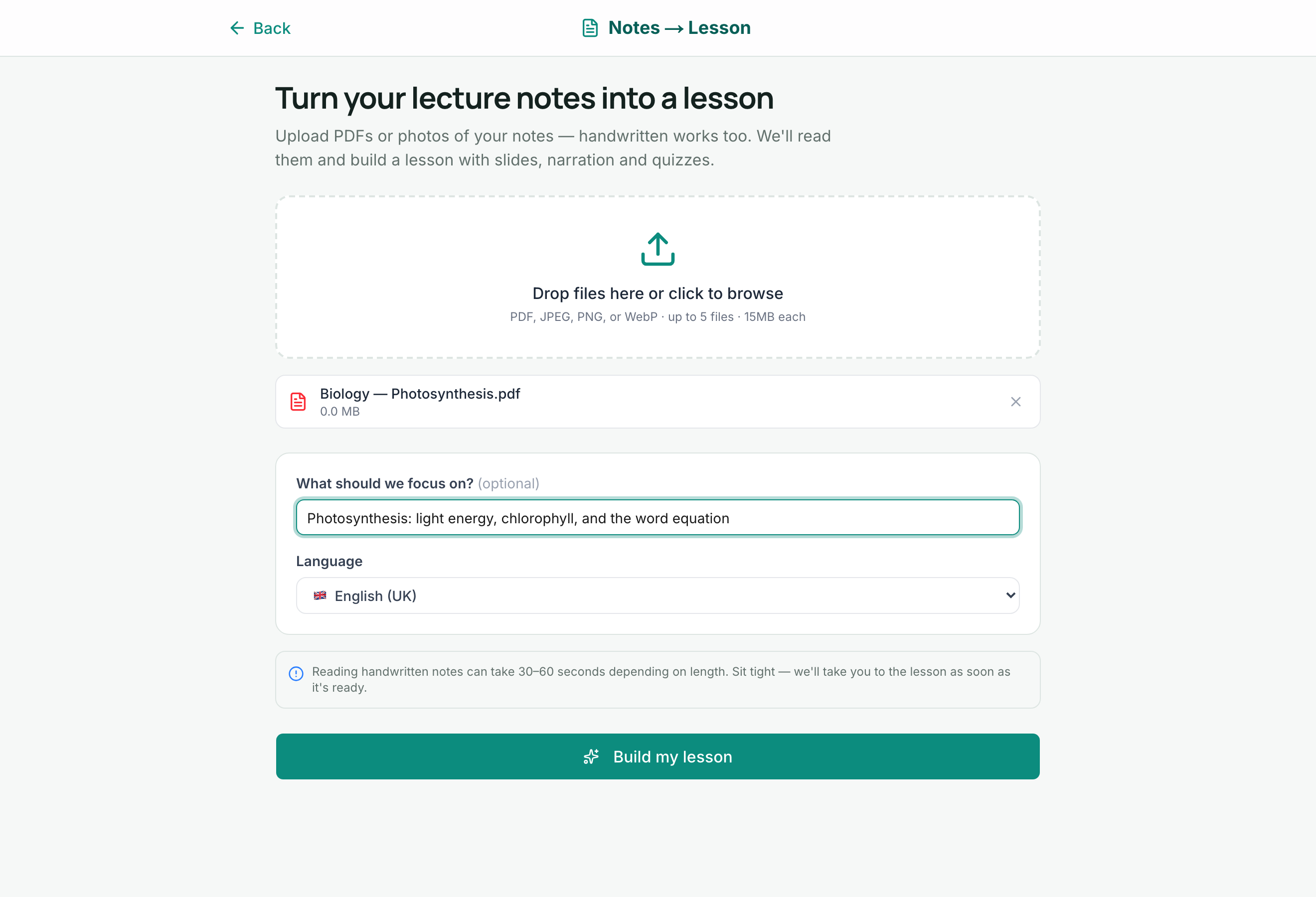
Upload a PDF or a photo of handwritten notes. Karatu turns it into a structured lesson the student can return to.
04 / University
For faculties and undergraduates
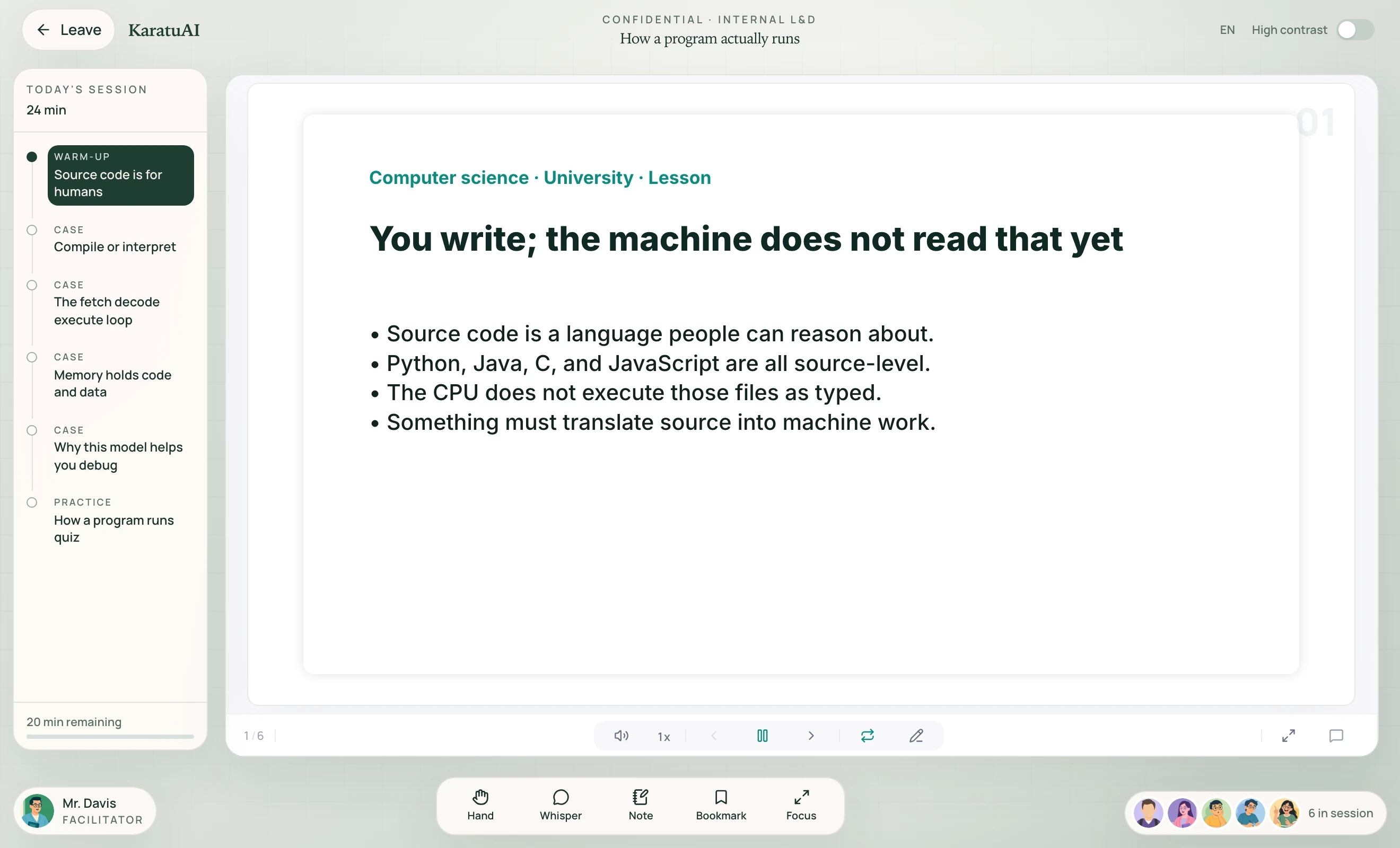
Faculty, course code, and semester sit in the classroom. Lecture notes become lessons. Career tracks sit beside the syllabus, with labs and a portfolio the student can show.
05 / University features
Lecture library, notes to lesson, exam prep, chat, and labs in one hub. Software, data, cloud, security, design, DevOps sit beside the module list.
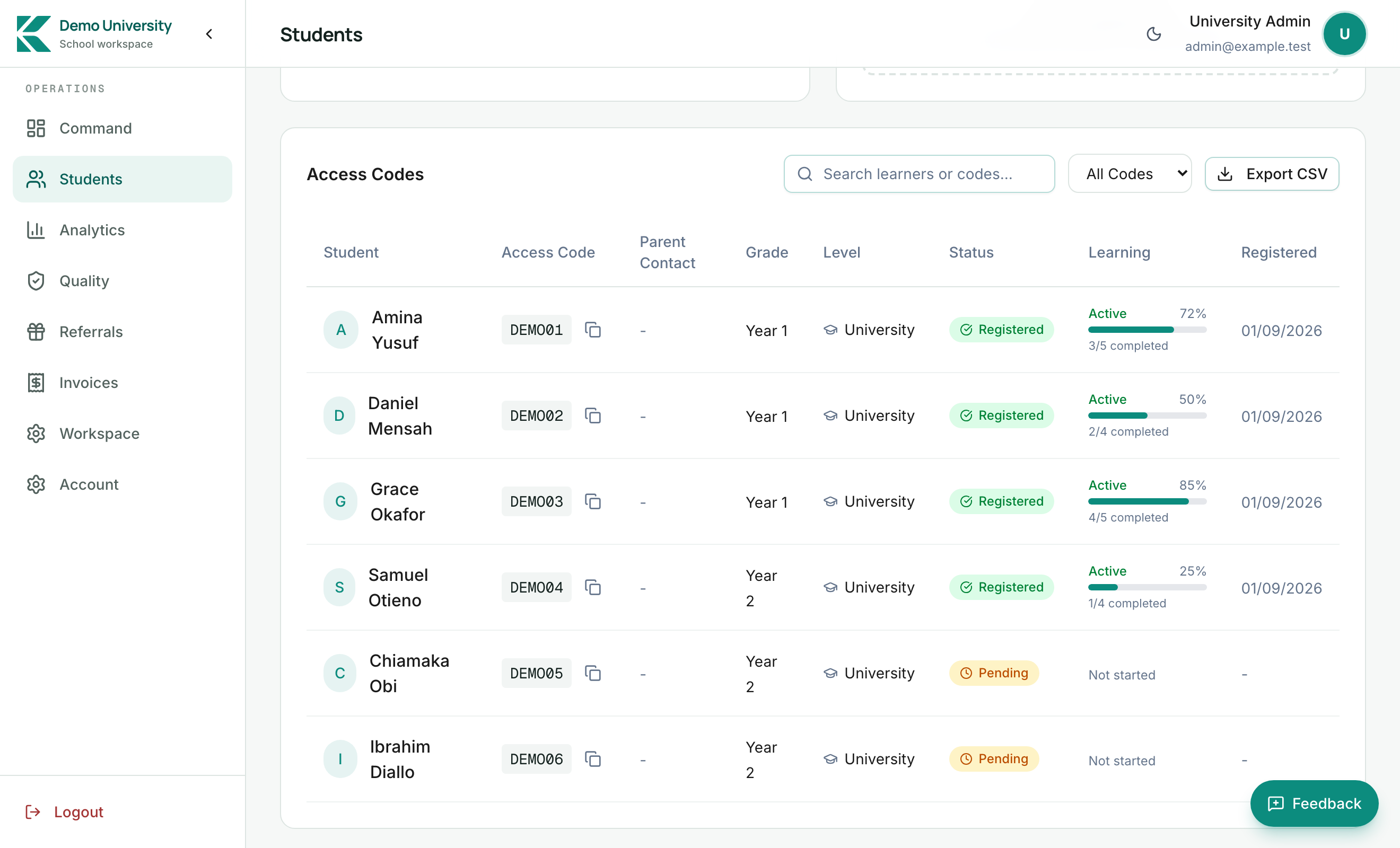
A branded tenant, access codes, and seat management. Cohorts run without rebuilding the campus stack.
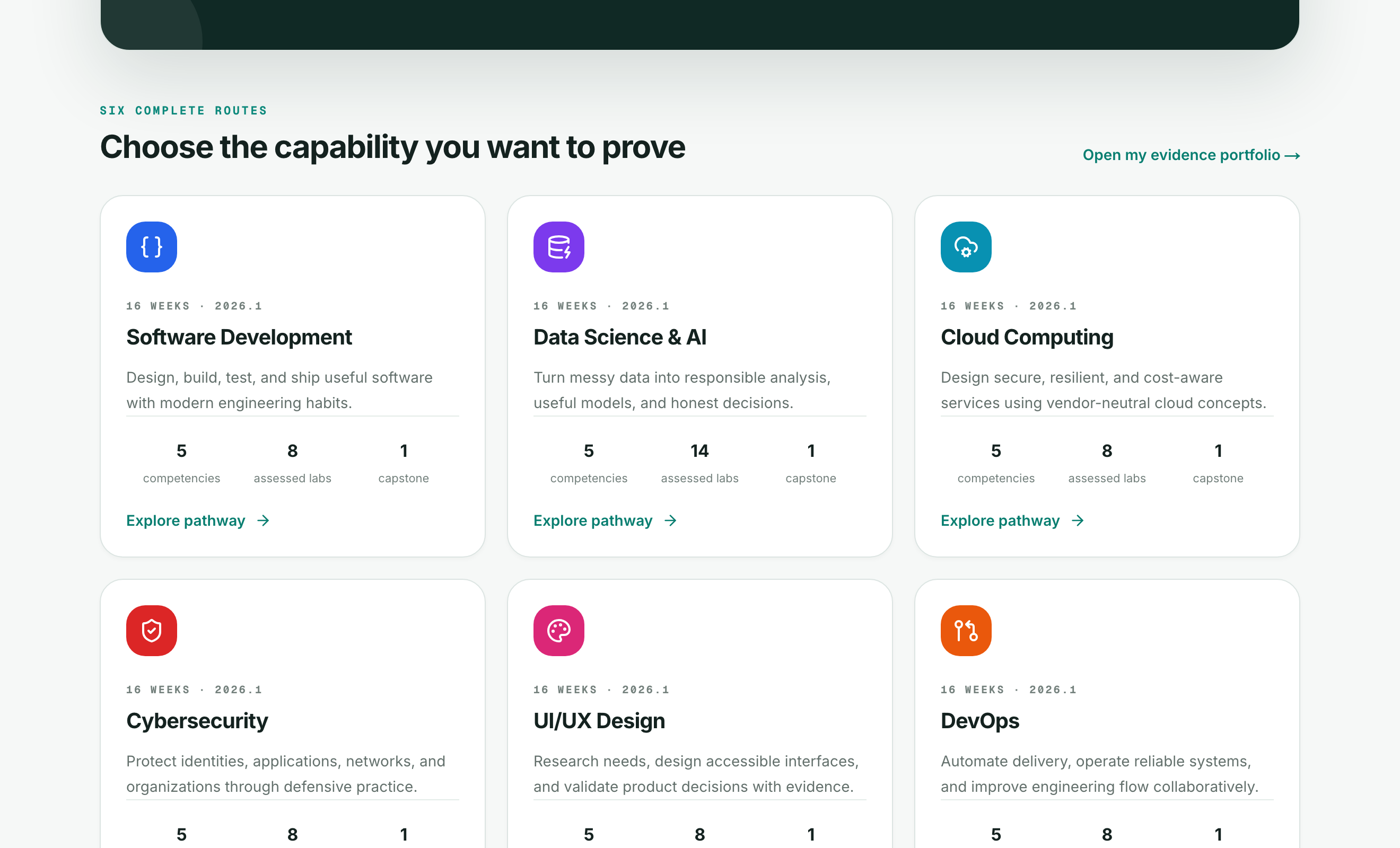
Assessed labs and capstones leave evidence. Feedback stays next to each attempt. Students keep a portfolio.
06 / Corporations
For L&D, departments, and staff
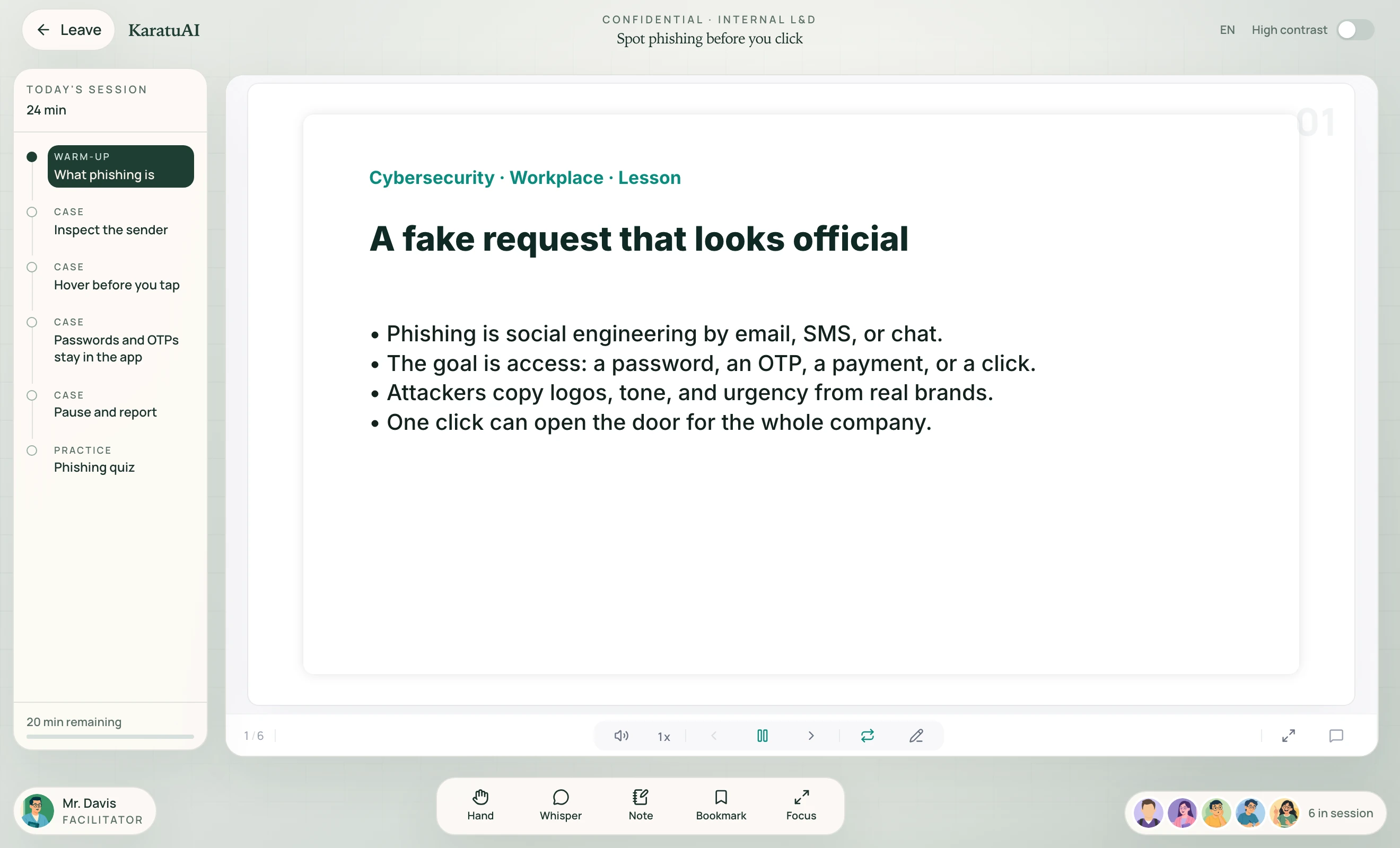
Courses, practical tasks, and certificates in one workplace classroom. Departments see only their work. Admins assign. Staff finish. Proof lands back in Command.
07 / Corporation features

Describe the skill gap. Karatu drafts the course. Attach internal documents, edit the outline, and assign by department or CSV.
Assigned work only. The same immersive classroom. Notes, replay, and department walls so other teams stay out of the way.
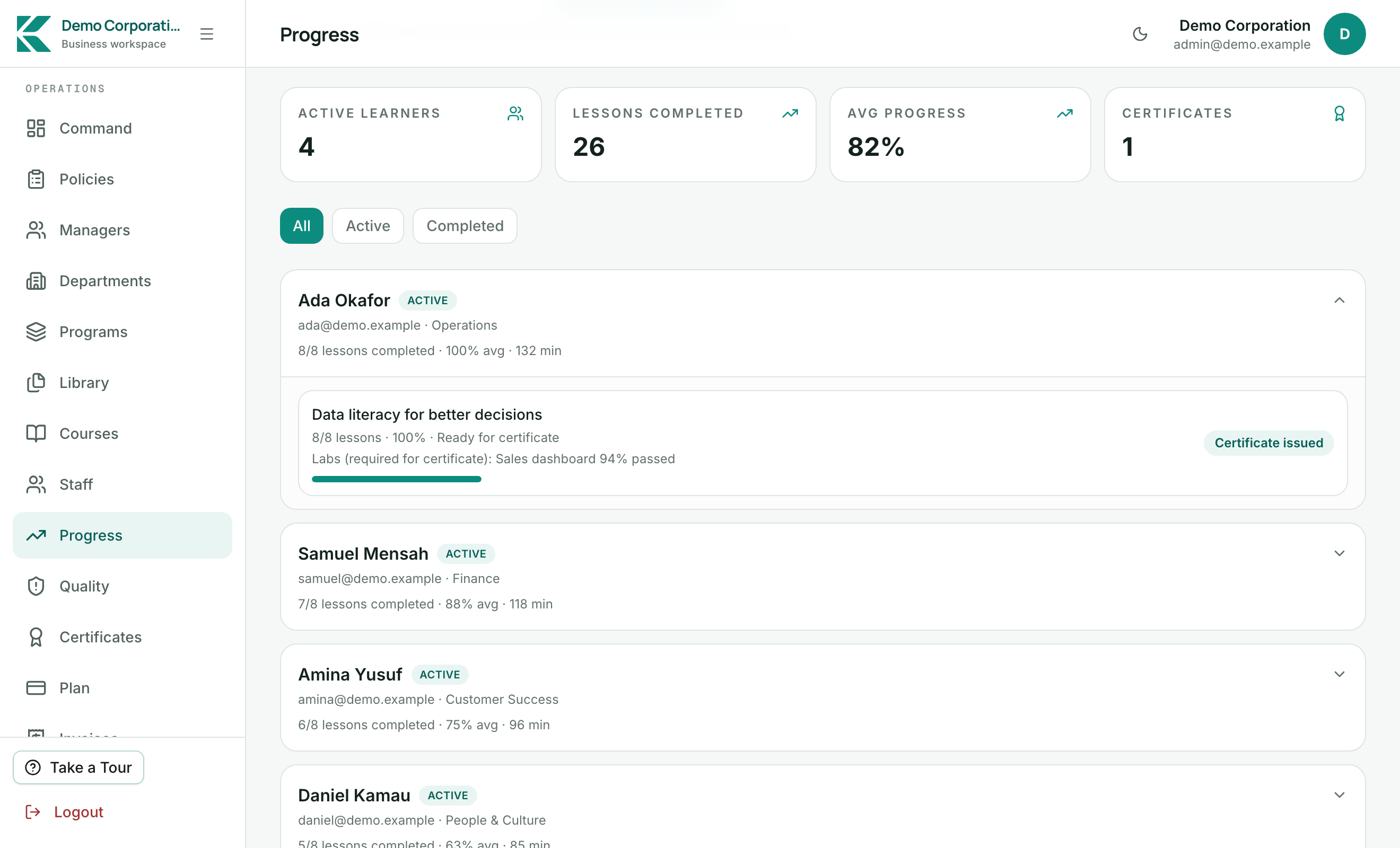
Programs group courses. Progress reports and company certificates stay inside Command. Seat plans follow the trial.
08 / Who this is for
Stand up a school tenant, invite a cohort, and keep parent and teacher loops next to the classroom. Primary remains paused. Secondary is the live path.
UniversitiesCourse codes and semesters in the lesson. Access codes for the cohort. Employability tracks beside the syllabus.
CorporationsL&D publishes. Staff complete. Certificates and progress stay in Command. A 7-day corporation pilot starts without a card.
Government and NGOsMinistries and NGO programmes review a school or district cluster first. Africa-first boards, officer visibility, then the next state or partner site.
09 / Public programmes
The same learner product, with school and university portals underneath. Co-design subjects, boards, language defaults, and the first site list. Measure adoption before the next district.
10 / Next step
Start with one programme
Present the deck that matches the room. After the pilot, the logins stay. Print any briefing from File → Print, or run it fullscreen.